School & household forms
The form that needs a reply.
Scan the letter, check the important details and save the response date. Find the original again when it is time to act.
Household paperwork, in order
School forms. Renewal notices. The receipt you might need months from now. Bring them into Docket, check the details and give them a place on your iPhone.
Coming soon on the App Store · iPhone
School trip
permission form
Please return by November 20
Keep the original.
Check the details that matter.
For the paperwork life sends you
The useful part of getting organized is what happens when you need something again.
School & household forms
Scan the letter, check the important details and save the response date. Find the original again when it is time to act.
Insurance & renewals
Keep a notice with its saved deadline, so the next question is what to do about it, instead of where you put it.
Receipts & warranties
File the paperwork for a household purchase. Search for the item or words from the document and reopen its original pages.
A place for the next piece of paper
Start with one document. Keep the original connected to the details you review.
Scan with the camera, import a PDF or image, or choose photos. Keep the pages of one document together.
Review suggested details against the original. View the highlighted source, correct an uncertain value and choose the reminders you want.
Save the document, find it through in-app search and see its saved deadlines in Due. The original stays there for the next question.
App preview · fictional Taylor documents in Simulator
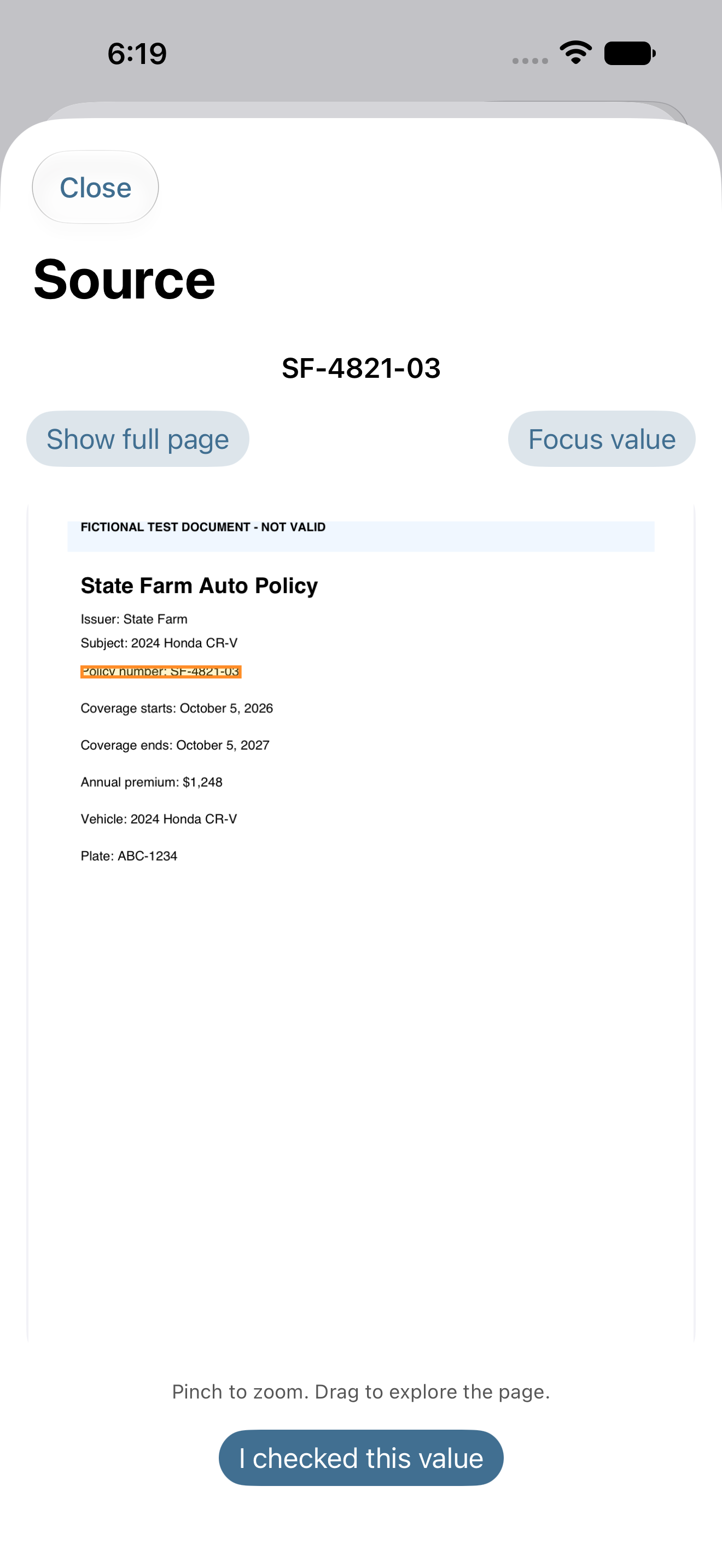
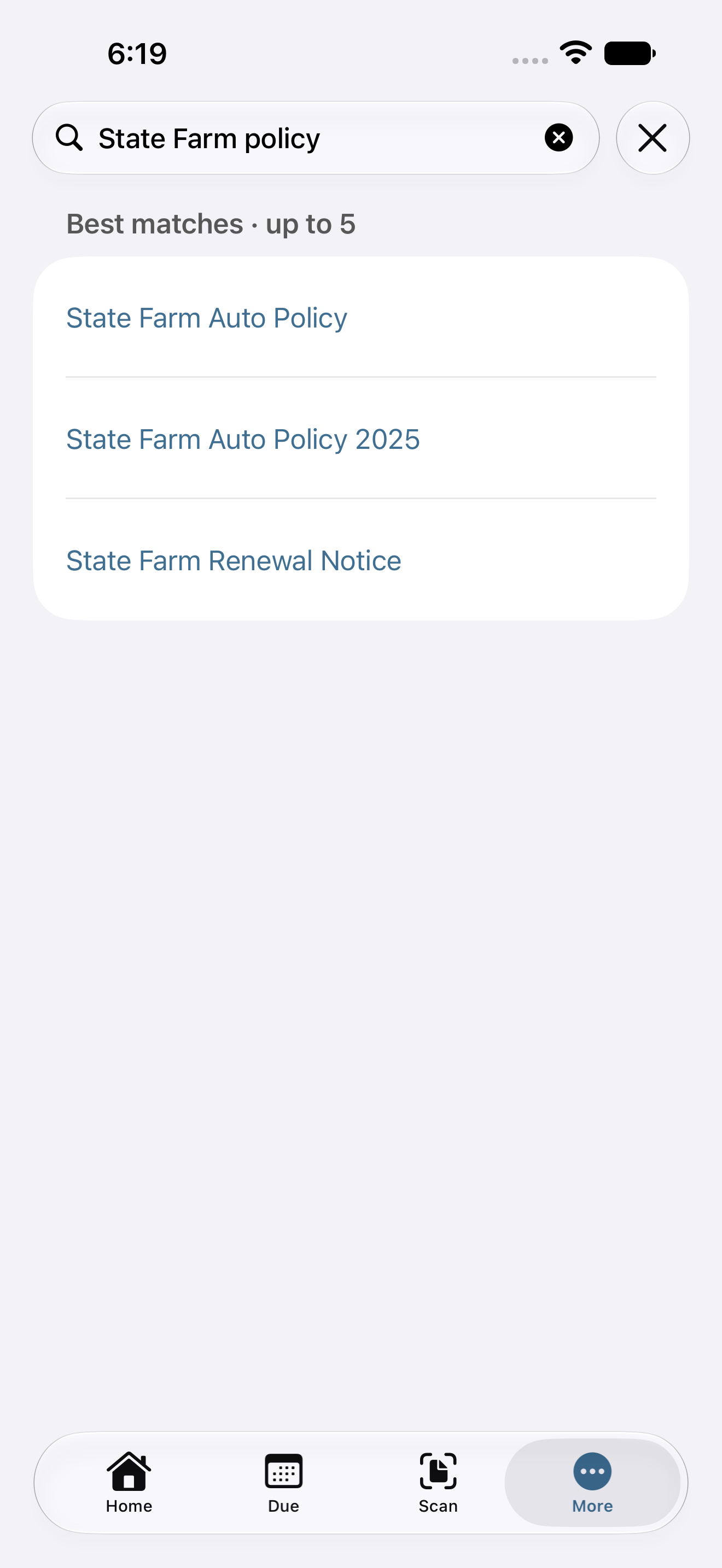
Search a title, issuer, household item or words from a filed document. Open the original when the small print matters.
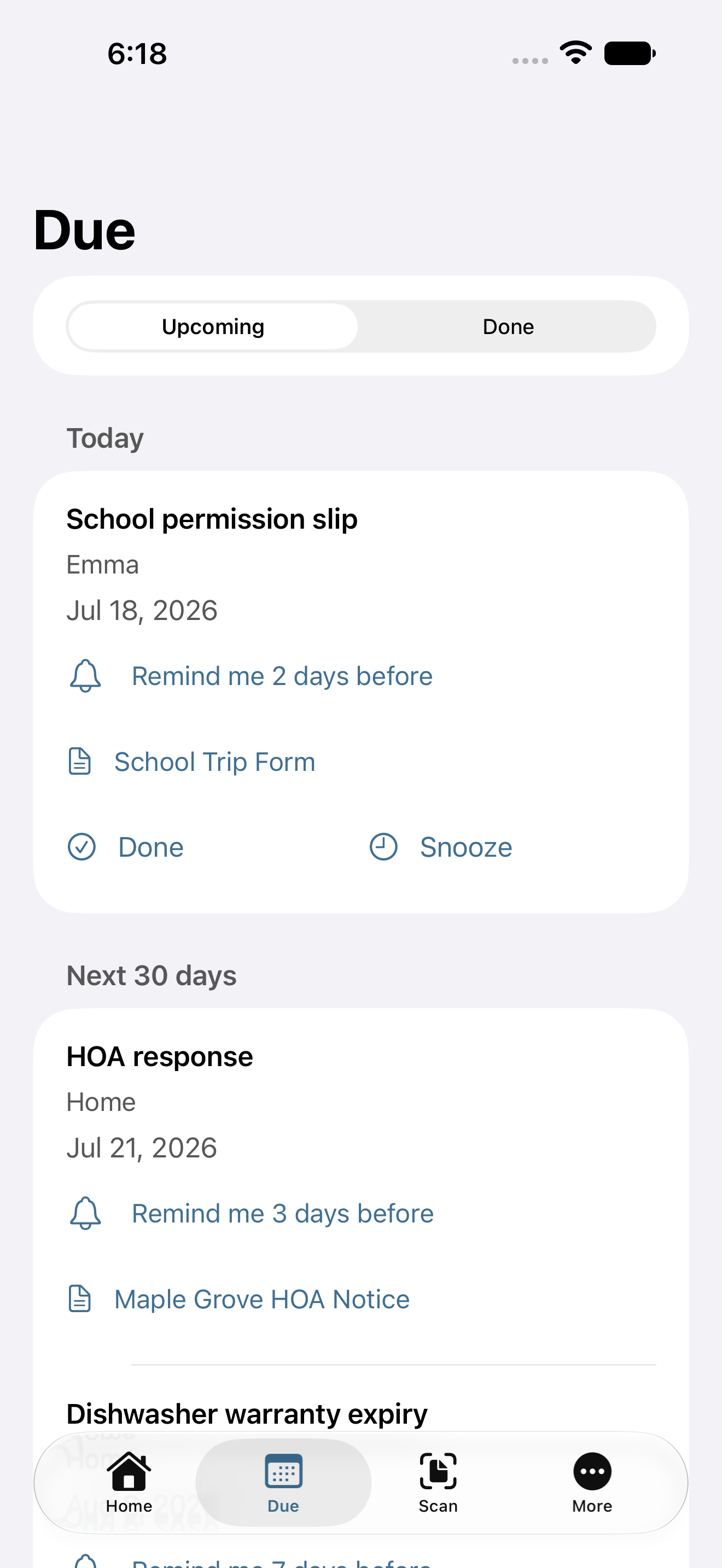
See saved deadlines and choose optional reminders. You control what gets an alert and when.
Why Docket
View the source beside a suggested detail. Check the printed information, make corrections and file with context.
Docket uses Apple’s on-device frameworks to process your paperwork. No Docket account or first-party document-processing server.
Choose reminders, turn on the optional Face ID or passcode lock, and export a complete ZIP copy when you need it.
Apple device backups may include your documents. Exports go to the destination you choose. See how Docket handles paperwork for the details.
Free to start. Room to keep going.
Choose Pro when you want to keep filing beyond the included 35 documents.
Planned U.S. launch pricing
Docket Free
35 successfully filed documents in total
Start a local paperwork library with the same review, Find, Due and export tools.
The total includes archived and deleted documents. Deleting a document does not restore an included slot.
Docket Pro
Unlimited filing while Pro is active
Keep adding household paperwork beyond the Free allowance. Pro changes your filing limit.
An eligible account may receive a 1-month free trial. Confirm the price and trial in Apple’s purchase sheet.
Included in both: scan and import, source review, in-app Find, Due, optional reminders, optional app lock and complete ZIP export.
Your saved paperwork stays useful. Existing documents, Find, Due, reminders and export remain available at the Free limit or after Pro ends.
Pro is an annual auto-renewing subscription, managed through Apple. The current offer and eligibility are shown before you confirm a purchase.
A few useful details
A scan is the starting point. Docket brings the original, reviewed details, saved dates and optional reminders into one local paperwork flow. You can search your filed documents and return to the original pages.
Check important details and dates against the original before filing. Docket lets you view the source and correct an uncertain value. Keep a document for review if you cannot confirm it. Suggested details are a starting point for your review.
No. Docket processes paperwork on your iPhone and has no app account or first-party document-processing server. Apple handles subscription purchases. Documents may be included in Apple device backups, depending on your settings.
Your existing documents, Find, Due, reminders and export remain available. Free includes 35 successful filings in total on this iPhone. Deleting a document does not restore a slot. Pro allows unlimited filing while the subscription is active.
This version keeps your library local to your iPhone. Family sharing and iCloud household sync are not enabled. Apple device backups are separate from an in-app sync feature.
Yes. Export everything creates a portable ZIP with saved records, original document pages and unfinished captures. The archive can be read without Docket. It has no password protection, and this version has no archive import or restore button. Choose an appropriate destination for sensitive paperwork.
You choose the reminders and timing. Alerts also require notification permission and depend on iPhone settings. A saved date does not guarantee an alert will appear; check important dates against the original.
Keep the paper. Lose the search.
Coming soon on the App Store for iPhone.